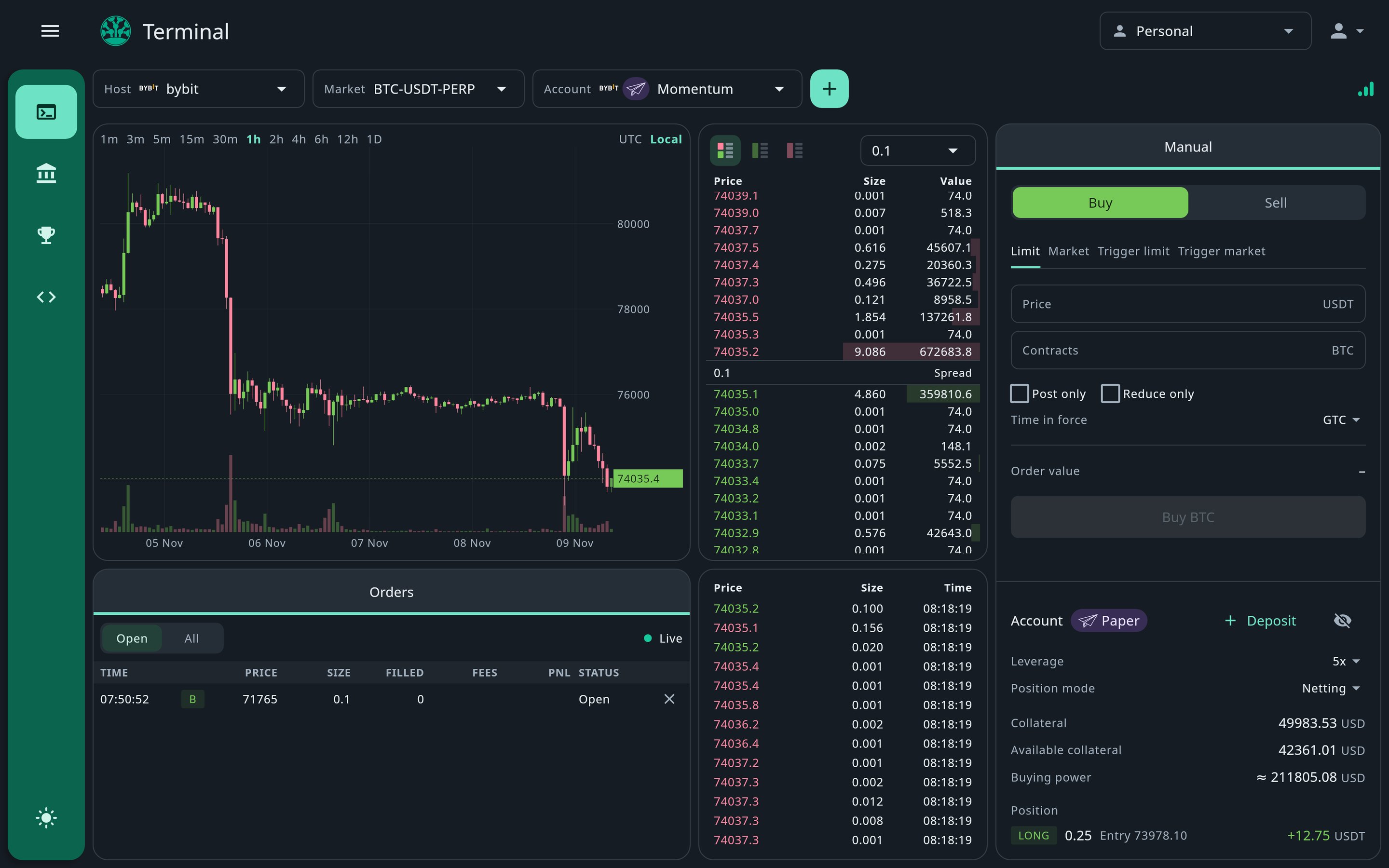
Terminal is the app’s home: a trading screen for one market at a time. Choose a Host, a Market and an Account on that host.
The Terminal trading BTC-USDT-PERP on a paper account: candlestick chart, order book, recent trades, the order form, a resting buy order and an open long position

Market data

  • A live candlestick chart of the traded price, with volume: pick an interval, pan and zoom through history, and label times in UTC or your local time zone.
  • The live order book, with price grouping and a choice of bids and asks, both or one side.
  • The trade feed of the market’s public trades.
The icon at the top right shows the health of the Terminal’s live connections.

Place orders

The Manual panel places Limit, Market, Trigger limit and Trigger market orders, sized in contracts or by notional as the market allows, with time in force, post-only, reduce-only and position effect where the market offers them. It checks your order against the market’s order rules, the same rules the API enforces, and shows the order’s value before you send it. Under the order form, the account panel shows your collateral, what is available and your buying power, and your position on the market with its entry price, unrealised profit and loss and, where the host reports one, its liquidation price. On markets that have them, it has the Leverage and Position mode controls. For a paper account, Deposit adds simulated funds. On an account you can see but not trade, the order form is replaced by a note that the account is view-only.

Orders

Orders lists the market’s orders on the account, live as they change. Open shows the orders still open, which you can cancel with ×; an order’s status reads Pending until the host reports it working. All adds completed ones. Orders paper placed to liquidate a position are marked. If the selected host cannot trade the market, or paper trading is not available on it, the Terminal tells you so.